 Lawrence Gray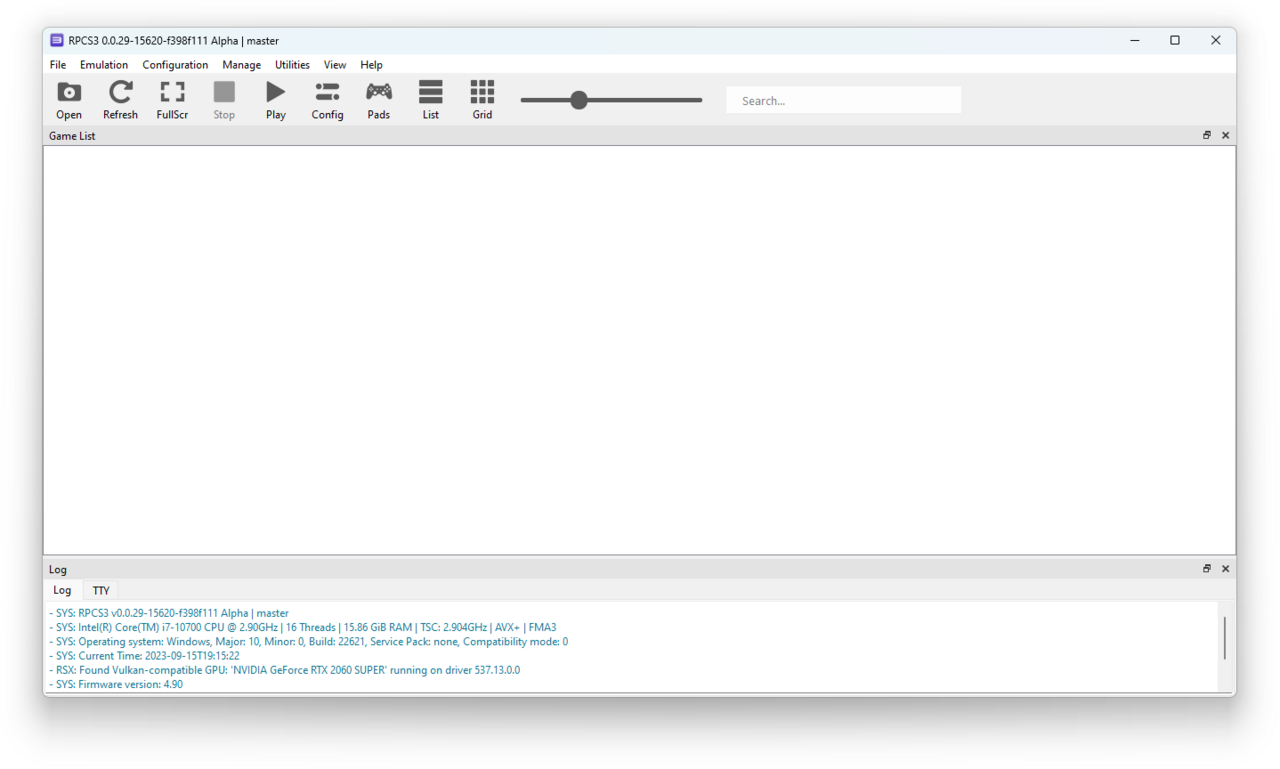
The RPCS3 emulator now supports direct launch of games from Blu-ray discs, providing users with an enhanced gaming experience. This new feature simplifies the process for gamers looking to enjoy their favorite titles without hassle.
What is the RPCS3 emulator?
The RPCS3 emulator is a free and open-source software that allows users to play PlayStation 3 games on their PCs. It has gained popularity due to its ability to replicate the console’s hardware and software environment, providing a seamless gaming experience. With continuous updates and improvements, the emulator has become more user-friendly and efficient over time.
One of the recent advancements in the RPCS3 emulator is its support for direct launching of games from Blu-ray discs. This feature allows gamers to enjoy their physical copies without needing to create backups, making it easier to access their favorite titles. The emulator also supports a wide range of games, enhancing compatibility and performance.
Overall, the RPCS3 emulator stands out as a significant tool for gamers looking to relive classic PlayStation 3 experiences on modern hardware.
How to use the new Blu-ray feature?
The RPCS3 emulator has introduced an exciting new feature that allows users to launch games directly from Blu-ray discs. This enhancement simplifies the gaming experience for players who own physical copies of their favorite titles.
To use the new Blu-ray feature, follow these steps:
- Insert the Blu-ray disc: Begin by inserting the game disc into your PC’s Blu-ray drive.
- Launch RPCS3: Open the RPCS3 emulator on your computer.
- Access the menu: Navigate to the ‘File’ menu and select ‘Boot Game.’
- Choose the Blu-ray option: Select the Blu-ray drive from the list of available options.
- Enjoy your game: The emulator will load the game, allowing you to start playing instantly.
This feature positions the RPCS3 emulator as a convenient option for gamers looking to utilize their Blu-ray collections.
Benefits of using RPCS3 for gaming
The RPCS3 emulator offers several benefits for gamers looking to enhance their experience. Firstly, it provides support for a vast library of PlayStation 3 titles, allowing users to access games that may no longer be available on current consoles.
Additionally, the emulator boasts improved graphics through upscaling, which enhances the visual quality of older games. This makes it an attractive option for those seeking to relive classic titles with a modern twist.
Furthermore, the RPCS3 emulator features customizable controls, enabling players to tailor their gaming experience to their preferences. With regular updates, the emulator continuously improves compatibility and performance, ensuring a smoother gameplay experience.
In summary, using RPCS3 not only revives classic gaming but also enhances it, making it a compelling choice for enthusiasts and casual gamers alike.
Comparing RPCS3 with other emulators
When evaluating the RPCS3 emulator, it’s essential to compare it with other popular emulators available on the market. Each emulator comes with its unique strengths and weaknesses, which can significantly impact user experience. Here are some critical points of comparison:
- Performance: The RPCS3 emulator often outperforms competitors in terms of frame rate and graphical fidelity, especially with demanding titles.
- Game Compatibility: RPCS3 supports a vast library of PlayStation 3 games, frequently updated to enhance compatibility with new releases.
- User Interface: Many users appreciate RPCS3’s intuitive interface, making it easier to navigate compared to other emulators.
- Community Support: The active RPCS3 community provides extensive resources, guides, and troubleshooting assistance.
These factors contribute to RPCS3 being a leading choice among gamers seeking to emulate PlayStation 3 titles.
User experiences with RPCS3
User experiences with the RPCS3 emulator have varied widely, with many players praising its capabilities. Users have reported that the emulator runs a significant number of PlayStation 3 games smoothly, allowing for an enhanced gaming experience on PC. A few key points from the community feedback include:
- Performance: Many gamers highlight the improved frame rates and graphics quality compared to original hardware.
- Compatibility: Most users appreciate the extensive library of playable titles, with regular updates improving support.
- Ease of Use: The recent addition of direct game launch from Blu-ray discs has simplified the gaming process for many.
While some players encounter issues with specific titles, the overall sentiment is that the RPCS3 emulator is a strong contender for those looking to relive classic PS3 games on modern systems.
Future updates for RPCS3
As the RPCS3 emulator continues to evolve, developers are focused on enhancing user experience and expanding compatibility with more PlayStation 3 titles. Upcoming updates aim to improve game performance and reduce glitches, allowing players to enjoy a smoother gaming experience.
Some anticipated features include:
- Enhanced graphics support: Upgrades to rendering techniques to allow for higher resolutions and improved visual fidelity.
- Expanded controller compatibility: More options for customizing control schemes and supporting various gamepads.
- Performance optimizations: Continued work on reducing CPU and GPU resource usage for better performance on lower-end hardware.
- Bug fixes: Ongoing efforts to resolve known issues that affect specific games or functions.
With these updates, the RPCS3 emulator is set to remain a leading choice for gamers wanting to relive classic PlayStation 3 titles.
Troubleshooting common issues
While the RPCS3 emulator offers a range of features, users may encounter some common issues that can affect gameplay. Here are a few troubleshooting tips to help enhance your experience:
- Performance Drops: Ensure your graphics drivers are up to date and check the emulator settings for optimal performance configurations.
- Game Crashes: If a game crashes upon launch, try verifying the integrity of the game data or adjusting the CPU and GPU settings within RPCS3.
- Audio Issues: If you experience audio glitches, consider changing the audio output settings or enabling audio stretching feature.
- Controller Problems: Ensure your controller is properly configured in the RPCS3 settings and check for any input lag that may arise.
By following these tips, you can mitigate common problems and fully enjoy the benefits of the RPCS3 emulator.
Community feedback on new features
The recent addition of direct Blu-ray support in the RPCS3 emulator has garnered significant attention from the gaming community. Users have taken to forums and social media to share their experiences and feedback on this new feature.
Many players appreciate the convenience of launching games directly from discs, noting that it enhances the overall gaming experience. Some users have reported smoother performance and quicker load times, while others have highlighted the nostalgic factor of playing classic titles straight from their original media.
However, not all feedback has been positive. A few users encountered compatibility issues with certain Blu-ray titles, prompting discussions about potential improvements. Overall, the community seems eager to see how the RPCS3 emulator evolves with this new functionality and what future updates may bring.
via Wikimedia Commons